
Step 1. Bring up the Preset list. The Preset list can be accessed by:
- pressing the PRESETS button on the Start Screen
- pressing the “swap” icon in GUITAR EDITING. More info: Guitar editing
- pressing any preset position on the PRESET POSITIONS screen, when the list is not locked. More info: Preset positions
Step 2. Press the Add icon on the Action Bar to bring up the NEW PRESET popup window.
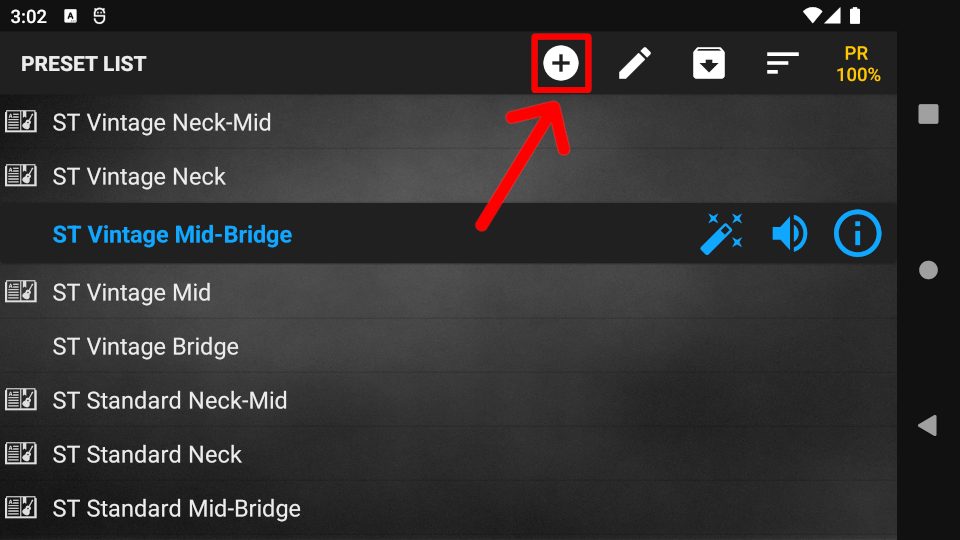
In the NEW PRESET window the following 3 options are available:
Add a Blank Preset
Step 1. Enter a name for the preset and press OK. The newly created preset will be active in the list.
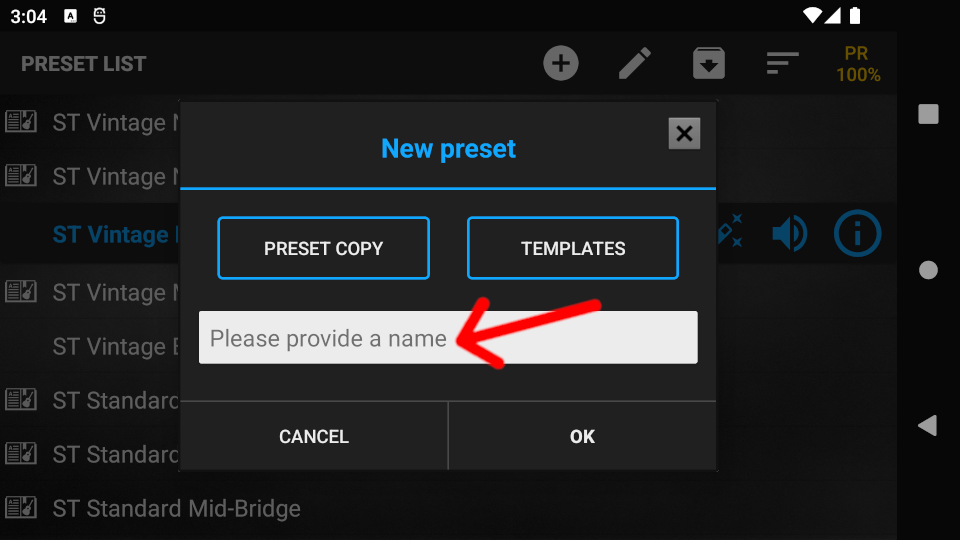
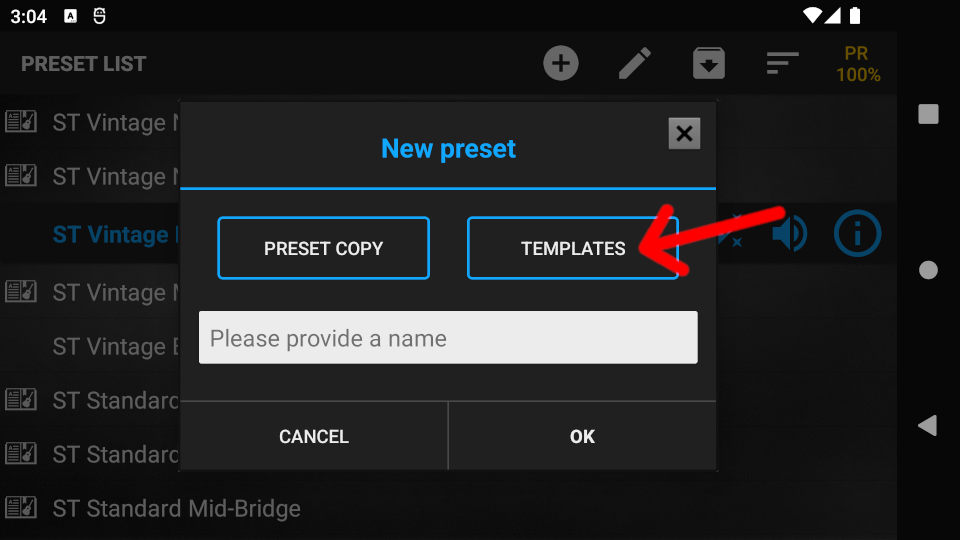
Add a Preset Template
Step 1. Press the TEMPLATES button. Choose from the template categories, then from the templates.
Step 2. Choose from the template categories, then select a template by pressing the template name.
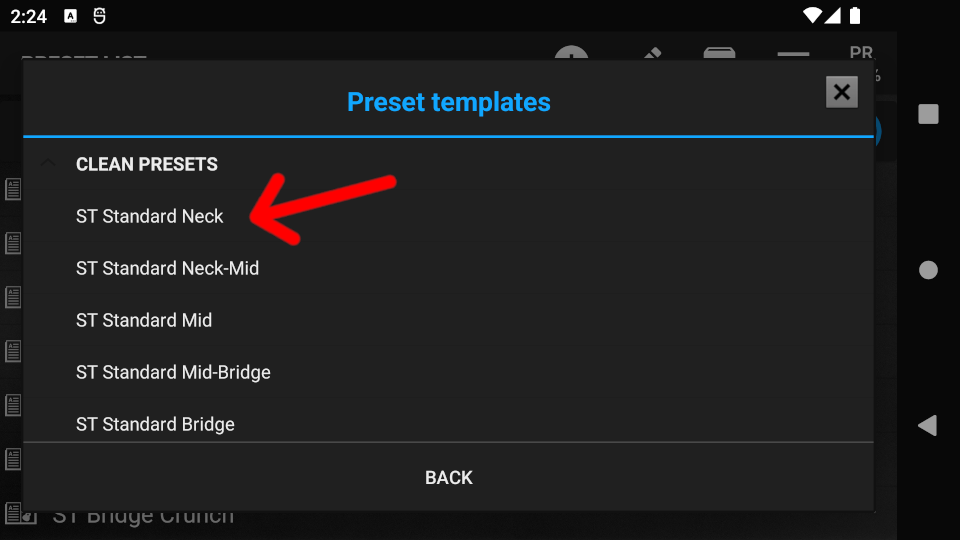
Step 3. Edit the name of the template if necessary, then press OK. The newly created preset will be active in the list.
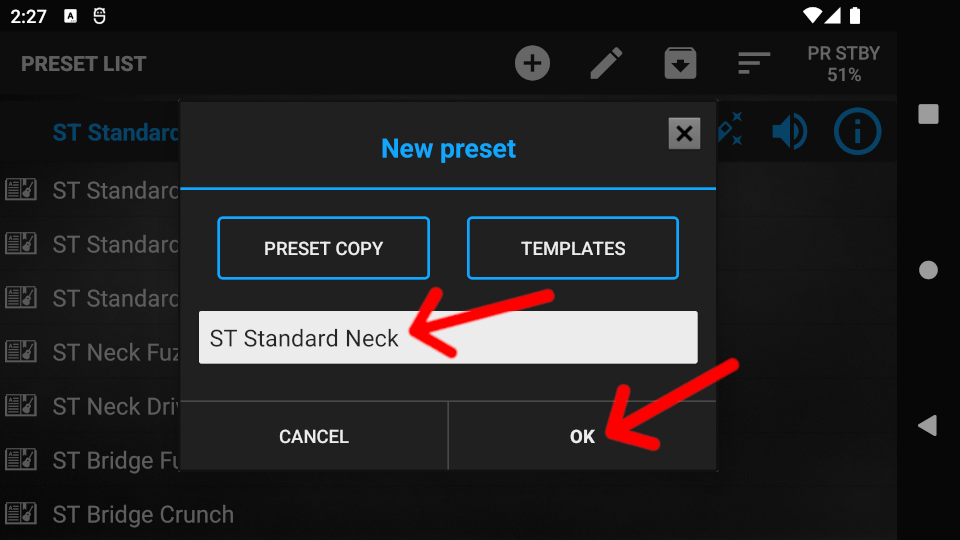
Copy the active preset
Step 1. Press the PRESET COPY button to copy the active preset.
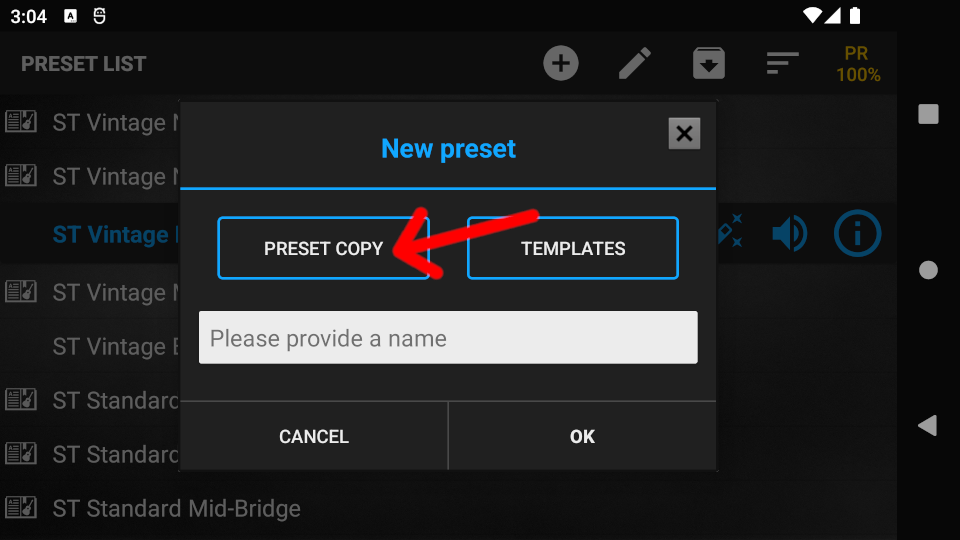
Step 2. Edit the name of the copied preset, then press OK. The newly created preset will be active in the list.
 English
  Magyar